
Corrupted PS2 BIOS Symptoms: 7 Signs Your BIOS Dump Is Bad
Few things are more frustrating than setting up PCSX2, loading your favorite game, and getting… nothing. A black screen. A crash. A cryptic error. Before you blame the emulator, your PC, or your game disc, there’s one suspect worth checking first: your PS2 BIOS dump might be corrupted.
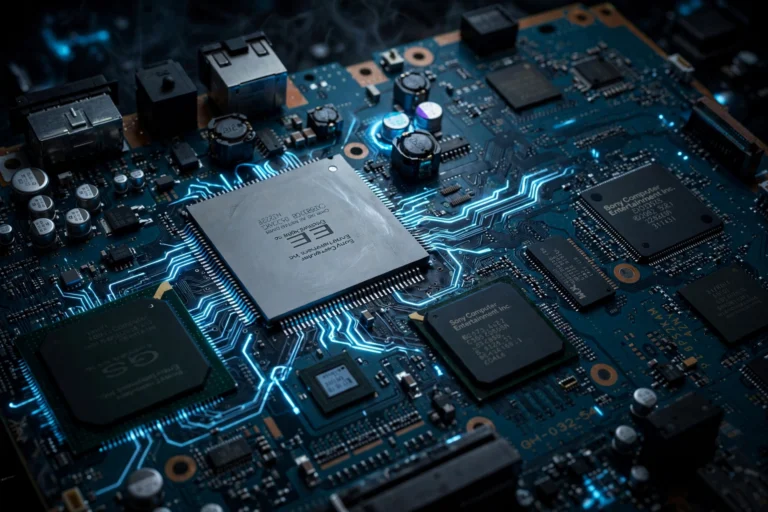
A BIOS dump is a delicate thing. It’s a byte-for-byte copy of firmware from a real PlayStation 2, and if anything went wrong during the dumping process — a scratched disc, a flaky USB stick, an interrupted transfer — the resulting files can be subtly broken in ways that cause all kinds of strange behavior. This guide walks you through the warning signs, how to verify your dump, and what to do if it’s bad.
What Does “Corrupted” Actually Mean?
When we say a BIOS dump is corrupted, we mean the files on your computer don’t faithfully match the firmware on the original console. Maybe a few bytes got flipped during the copy. Maybe the dump stopped halfway through. Maybe the dumping tool glitched on a particular memory region.
The tricky part is that a corrupted dump often *looks* fine. The files have the right names and roughly the right sizes. PCSX2 might even list the BIOS in its menu without complaint. The problems only surface when the emulator actually tries to *use* the damaged firmware — which is why the symptoms can be so confusing.
7 Signs Your PS2 BIOS Dump Is Corrupted
1. Black screen on boot
The most classic symptom. You start a game (or even just boot the BIOS), and the screen stays black indefinitely. The emulator seems to be running, but nothing ever appears. A healthy BIOS should show the PlayStation 2 logo animation within seconds.
2. PCSX2 crashes when loading the BIOS
If the emulator closes itself — or freezes hard enough that you have to kill it — the moment it touches the BIOS files, corruption is a prime suspect. Pay attention to *when* it crashes: crashing during BIOS initialization points at the dump, while crashing mid-game usually points elsewhere.
3. The BIOS appears in the list but won’t boot
PCSX2’s BIOS selector shows your dump, you pick it, and… nothing happens, or you get dumped back to the menu. The emulator could read the file header (which is intact) but chokes when it hits the damaged sections.
4. Games boot but crash at random points
This one’s sneaky. Everything seems fine until the game randomly freezes or crashes — often at the same spot, like a particular cutscene or loading screen. If multiple games crash in similar ways, the common denominator is your BIOS, not the games.
5. Graphical glitches from the very first frame
We’re not talking about minor rendering quirks here — we’re talking about a garbled, scrambled, or color-inverted BIOS boot screen. The BIOS is responsible for basic hardware initialization, so damage to it can corrupt everything downstream.
6. “BIOS not found” even though the files are there
Sometimes PCSX2 refuses to recognize files that are visibly sitting in the BIOS folder. While this is often just a folder-path problem, a severely truncated or malformed dump can also fail the emulator’s validation checks.
7. File sizes that don’t add up
A complete PS2 BIOS dump is typically around 4 MB (with some regional variation). If your dump files are dramatically smaller — a few hundred kilobytes, say — the dump is incomplete, which is corruption by another name. Check the total size before anything else; it’s the fastest test there is.
How to Verify Your BIOS Dump’s Integrity
Before you throw your dump away and start over, run through these checks:
Check the file sizes. As noted above, a full dump should total roughly 4 MB. Wildly smaller files mean an incomplete dump. Wildly larger files are also suspicious.
Re-copy the files. If you transferred the dump via USB stick or over a network, try copying it again. Flash drives are a notorious source of silent data corruption, and a fresh copy from the original source sometimes fixes everything.
Compare against a known-good dump. If you dumped from your own console more than once, compare the files byte-for-byte. Free tools can compute checksums (MD5 or SHA-1) — identical dumps should produce identical checksums. Different checksums from two dumps of the same console mean at least one of them went wrong.
Test with a minimal setup. Temporarily move your BIOS files out, do a clean PCSX2 install with default settings, then add only the BIOS back. If problems persist with default settings, the dump is almost certainly the issue rather than a bad configuration.
Check the dump log. If your dumping tool produced a log file, read it. Warnings about unreadable sectors or failed regions during the dump are a smoking gun.
What to Do When Your Dump Is Bad
So the verdict is in: your BIOS dump is corrupted. Here’s the path forward, in order of preference:
1. Re-dump from your own console
This is the best option by far. If you still have the PlayStation 2 you dumped from, run the dumping process again — ideally with a different USB stick and a freshly formatted drive. Most corruption happens during transfer, not during the actual dump, so changing the storage medium often solves it.
2. Dump from a different console you own
If you have access to another PS2 (a friend’s, a second unit), dump from that one instead. Different hardware, different dump — and a clean result confirms the first dump was the problem.
3. What NOT to do
Don’t go hunting for BIOS files on shady download sites. Beyond the legal issues, random BIOS files from the internet are *more* likely to be corrupted, mislabeled, or tampered with than anything you’d dump yourself. A “fix” that introduces new problems isn’t a fix.
Frequently Asked Questions
Can a corrupted BIOS damage my computer?
No. The worst a bad dump can do is crash the emulator or fail to boot. It can’t harm your PC, your operating system, or your game files. The risk is wasted time, not damaged hardware.
Why does PCSX2 list my BIOS if it’s corrupted?
PCSX2’s BIOS selector only does a surface-level check — it looks for files with the right names and plausible headers. Deep corruption in the firmware body won’t show up until the emulator actually executes that code.
My dump worked fine for months and now games crash — did it get corrupted?
Files don’t usually corrupt spontaneously on a healthy drive, but it can happen with failing storage. More likely, though, something else changed: an emulator update, a settings tweak, or a newly added game. Re-verify the dump’s checksum against your original to rule it out quickly.
Is a 2 MB BIOS dump normal?
Generally no — a complete dump is around 4 MB. Some tools split the dump into multiple files (ROM0, ROM1, etc.), so check the *combined* size of all the files, not individual ones. If the total is far short of 4 MB, the dump is incomplete.
Should I delete a corrupted dump?
Once you’ve confirmed it’s bad and have a working replacement, yes — delete it. Keeping a known-bad dump around is just an invitation to accidentally select it again six months from now and wonder why nothing works.
Conclusion
A corrupted PS2 BIOS dump disguises itself as many other problems — black screens, random crashes, unrecognized files. Check the dump first with the size and checksum tests above, and when in doubt, re-dump from your own hardware. Ten careful minutes with the dumping tool beats hours of chasing ghosts in emulator settings.